Deliver with Gantt, risks, and portfolio control.
Project timelines, dependency tracking, risk and issue registers, service tickets, stage gates, NPD pipelines, dossier packages, portfolio roll-up, and lessons learned — without leaving the luxury shell.
Tracopus Projects delivers Gantt timelines, milestone tracking, risk and issue registers, service tickets, stage gates, portfolio control tower, resource staffing, and knowledge capture — with taskboard execution and collaboration tools in the same luxury shell.
From portfolio to critical path in two clicks.
Gantt, Kanban, risks, issues, stage gates, tickets, NPD, and dossiers — without exporting status into side spreadsheets.
- Critical path and dependency visibility
- Risk, issue, and stage-gate governance
- Portfolio roll-up for PMO and executives
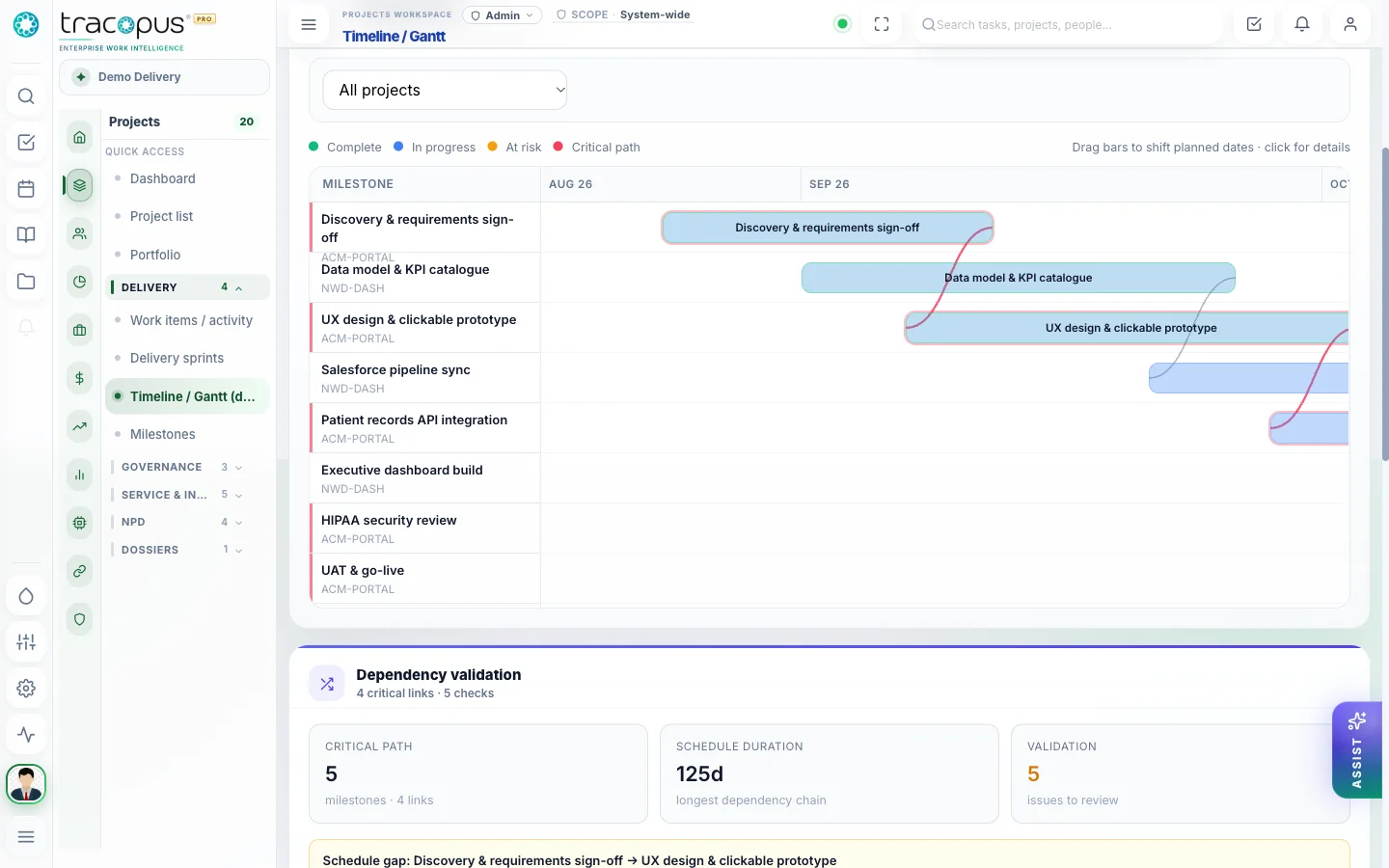
Timelines, dependencies, critical path, and stage gates on one delivery surface.
What breaks when work lives in disconnected tools.
Point solutions optimize one department while the enterprise loses traceability — approvals stall, payroll exceptions surface late, revenue leaks between delivery and finance, and leaders reconcile exports instead of drilling from insight to source record.
- Friction 01
Governance gaps outside the project record
Risks, issues, stage gates, and decisions tracked in spreadsheets never connect to the project timeline, billing readiness, or portfolio roll-up. PMOs lose audit trail when governance lives outside the delivery system of record.
- Friction 02
No portfolio control tower
Executives lack a single view connecting delivery health, resource utilization, financial exposure, risk heatmaps, and approval bottlenecks. Weekly status decks replace live operational intelligence that should drill to source records.
- Friction 03
Ticket and service silos
Service work disconnected from project context, SLAs, timesheets, and billing readiness means revenue leakage and client dissatisfaction surface late. Tickets must live in the same Work Graph as deliverables and invoices.
- Friction 04
Lessons learned never feed forward
Root causes and lessons learned captured in retrospectives never flow into WBS planning, risk registers, or staffing decisions for the next engagement. Knowledge dies in slide decks instead of improving the next project kickoff.
What changes when teams run on one layer.
Measurable improvements across delivery, workforce, finance, and governance — not feature checklists, but operational outcomes your teams can verify in daily work.
- Gantt with dependencies, milestones, and critical path visibility
- Risk register, issue tracker, stage gates, and governance boards
- Portfolio control tower with finance and resource roll-up
- Tickets, knowledge capture, and RCA linked to project context
Delivery governance that scales
Gantt, risks, issues, tickets, stage gates, NPD, dossiers, portfolio control tower, resource staffing, and knowledge capture on one delivery surface.
Portfolio control tower
Executive roll-up across delivery, resources, risk, finance, revenue, approvals, and integration health.
Gantt & dependencies
Project timelines, milestone tracking, dependency management, and critical path visibility.
Risks, issues & gates
Risk register, issue tracker, action items, decision logs, change logs, and stage-gate approvals.
Tickets & service
Ticket intake linked to projects, clients, SLAs, timesheets, billing, and governance.
Task board & work items
Kanban execution, deliverable hierarchies, Work Item activity, est-vs-actual, and status transitions.
Resource planning
Skills, staffing requests, allocations, bench, roll-offs, utilization, and AI staffing recommendations.
NPD pipeline
Ideas, business cases, prototypes, stage gates, launch readiness, and links into project governance.
Dossier management
Structured dossier sections, linked documents, review/approval, baselines, exports, and legal hold.
Knowledge & RCA
Lessons learned, root cause analysis, recurring issue patterns, and preventive controls.
Accounts & commercial context
Customer accounts, bid requests, and purchase orders that seed delivery with contract clarity.
How work moves through Tracopus
Sprint planning
Capacity-informed taskboard workflow.
- 1Review Team capacity Overview and Roster for availability
- 2Filter taskboard by project and assignee
- 3Move cards Planned → To do → In progress → Done
- 4Check est-vs-actual on deliverable detail after sprint
New project kickoff
From create wizard to staffed deliverables.
- 1CREATE project with type, team, dates, account link
- 2Add members with roles on project details
- 3Create deliverable hierarchy and work items
- 4Upload SOW files in project file manager
Screens from the live workspace
Real captures from the Tracopus demo workspace — every screen a connected workflow.
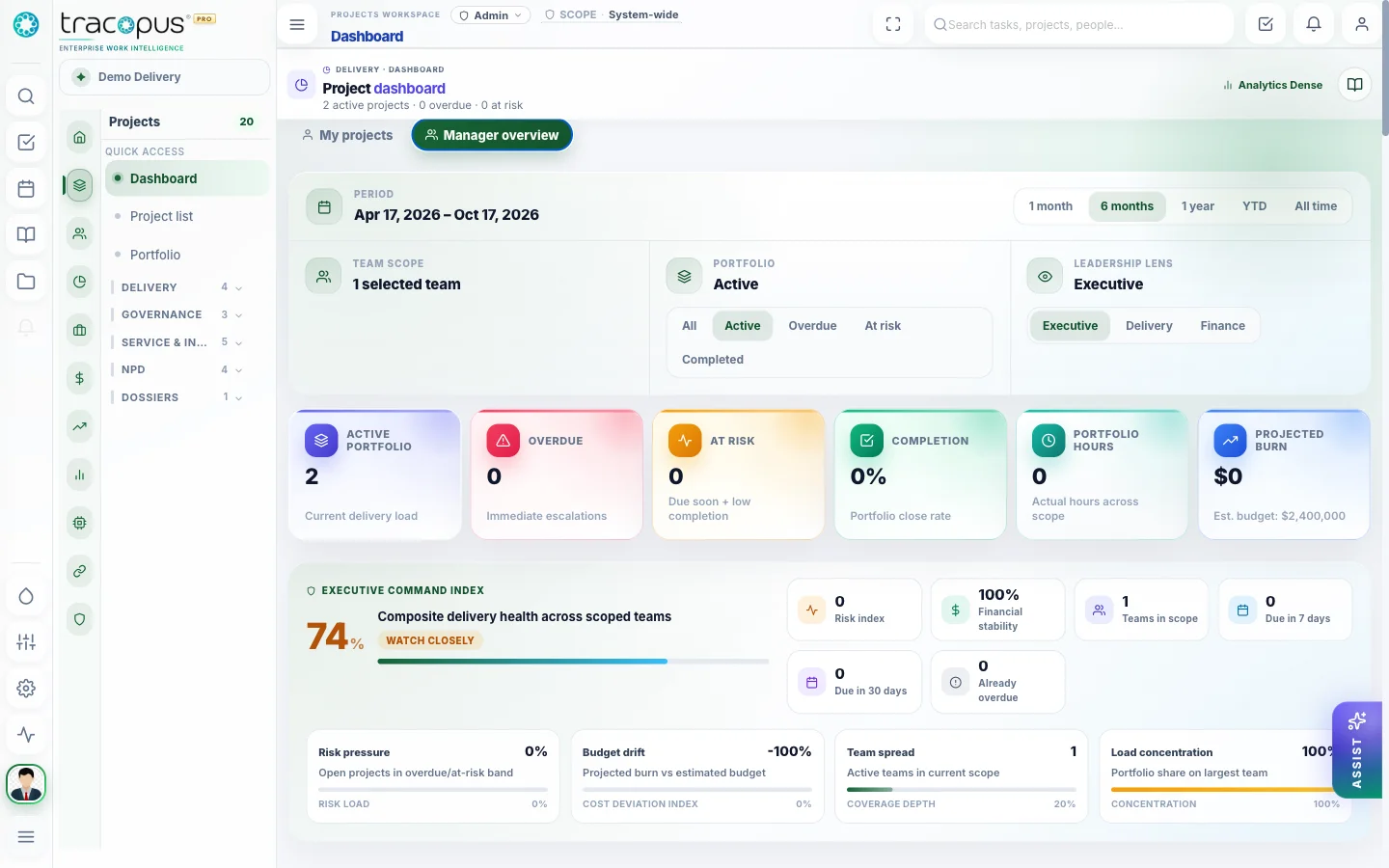
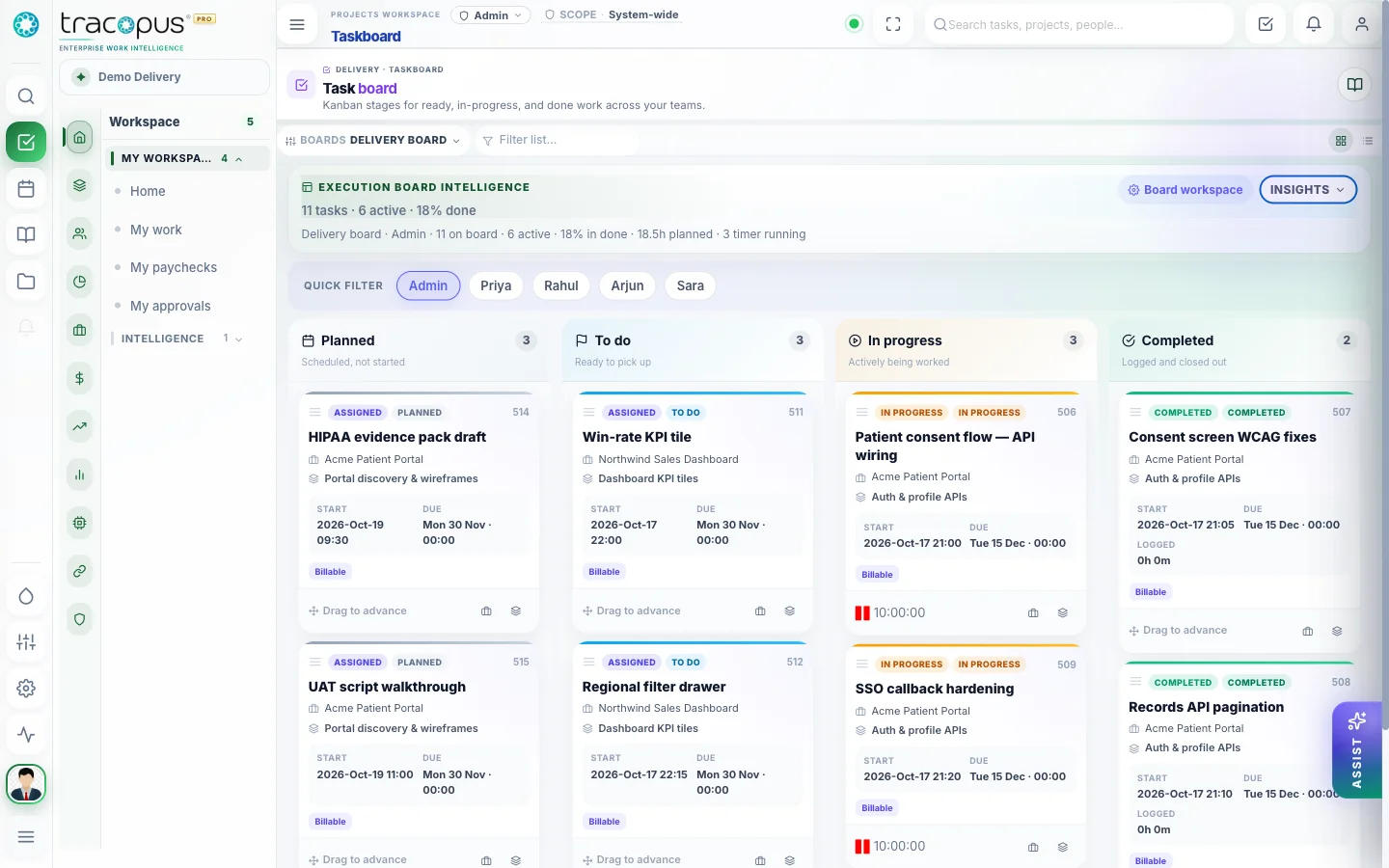
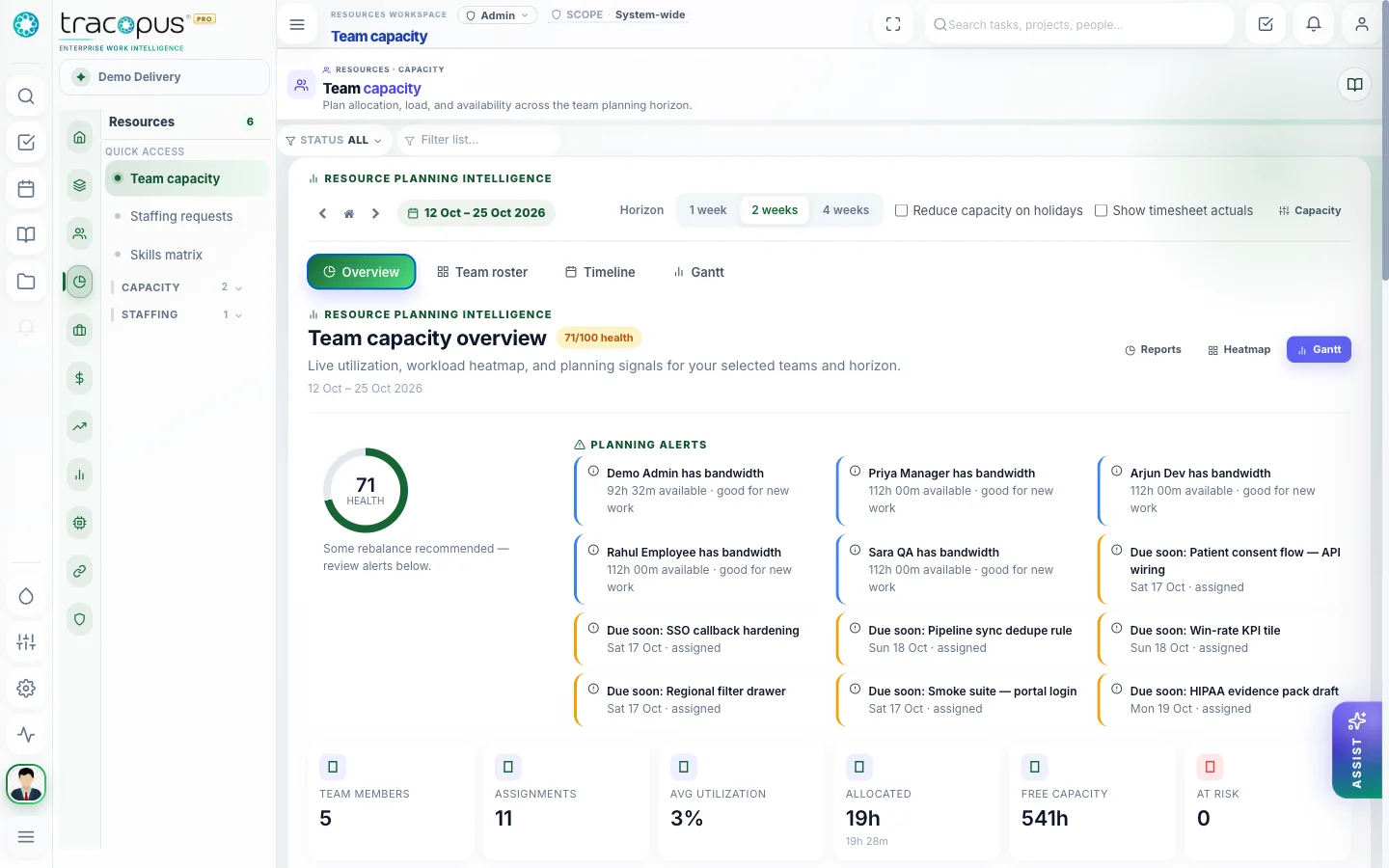
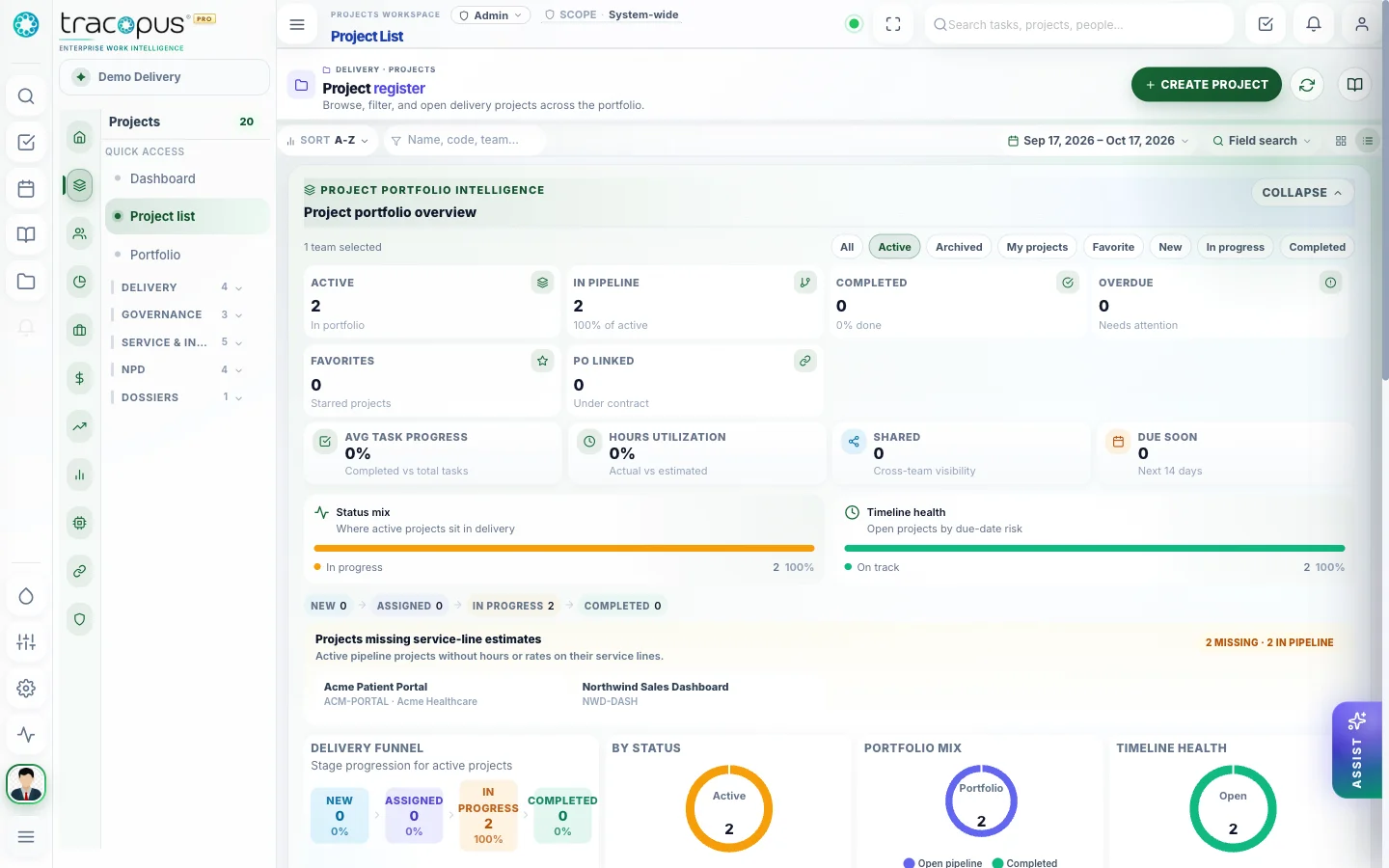
Leaders see portfolio health without waiting for a status deck.
Context, communication, and work — never separated.
My Work, universal approvals, chat, files, notes, calendar, notifications, and Work Graph search live in the same luxury shell as delivery and people operations — so teams never hunt across systems to understand what happened, who owns the next step, or where the latest document lives.
My Work Queue
Persona-aware assigned work, approvals, and action items in one daily operating hub.
Universal Approval Inbox
Leave, timesheets, expenses, documents, assets, project gates, budgets, and invoices in one approval engine.
Contextual Chat
Team conversations in the same workspace where projects, tasks, payroll, and delivery context live.
File Manager
Structured folders, previews, versioning, and access-aware sharing across projects and employee documents.
Notes & Calendar
Personal and shared notes, milestones, tasks, and schedule views connected to project and people records.
Work Graph Search
Enterprise search across people, projects, approvals, documents, payroll, risks, tickets, and AI recommendations.
Notifications
Real-time alerts for approvals, payroll readiness, delivery risks, integration sync, and persona-scoped updates.
Questions for this module
What teams usually ask before rolling this area out.
How many project screens are documented?
Eighteen — from dashboard and project list through taskboard, capacity, reports, and collaboration tools.
What reports are available?
Twelve operational reports on the reports screen — utilization, est-vs-actual, and compliance variants with date range and team filters.
One Operating Layer. Every Enterprise Workflow.
Bring workspace, people, projects, resources, finance, payroll, performance, analytics, AI agents, integrations, and admin governance into one persona-aware luxury platform.