Employee 360 from hire to paycheck.
Requisitions and offers convert into onboarding; attendance, leave, LMS, and benefits stay connected to timesheets and payroll — documents, assets, and access requests clear through the same Employee 360.
Tracopus People layer delivers Employee 360 — profiles, onboarding, offboarding, attendance intelligence, leave forecasting, timesheet approval, document vaults, asset lifecycle, payroll runs, paychecks, expenses, org chart, and HR policies in one connected experience.
Employee 360 from requisition to paycheck.
ATS, onboarding, leave, attendance, timesheets, LMS, benefits, documents, assets, and payroll — connected in one profile with persona masking.
- Hire-to-exit continuity in one record
- Timesheets managers can trust
- Payroll readiness before run lock
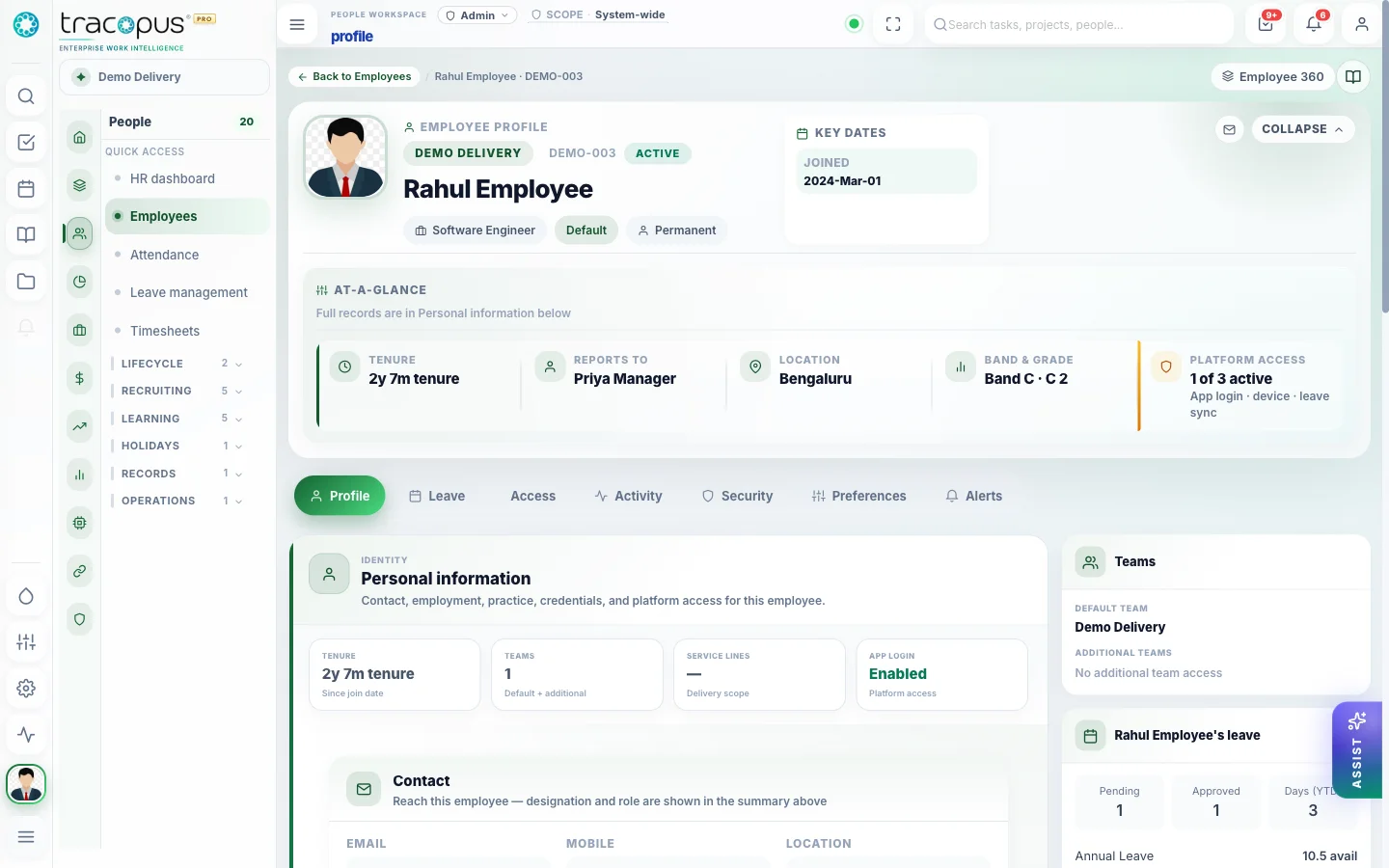
One profile for job data, leave, attendance, timesheets, documents, assets, and masked payroll.
What breaks when work lives in disconnected tools.
Point solutions optimize one department while the enterprise loses traceability — approvals stall, payroll exceptions surface late, revenue leaks between delivery and finance, and leaders reconcile exports instead of drilling from insight to source record.
- Friction 01
Fragmented employee records
HR data scattered across spreadsheets, shared folders, and a separate payroll system means no single view of attendance today, leave balance, timesheet compliance, or payroll readiness. Managers and HR chase updates instead of acting on live Employee 360 intelligence.
- Friction 02
Late payroll exceptions
Attendance gaps, pending leave approvals, and unapproved timesheet weeks surface only at payroll lock — forcing emergency corrections, manual overrides, and delayed paychecks. Without a Payroll Readiness Score, every run starts with detective work.
- Friction 03
Document and policy compliance gaps
Policy acknowledgments, document expiry, and verification status tracked outside the system create audit risk. HR cannot see which employees are blocked on onboarding checklists or which contracts expire before the next review cycle.
- Friction 04
Offboarding and asset risk
Assets, IT access, final timesheets, and payroll blockers missed during employee exit create security exposure and settlement delays. Checklist-driven offboarding with audit trail is essential for regulated and enterprise operations.
What changes when teams run on one layer.
Measurable improvements across delivery, workforce, finance, and governance — not feature checklists, but operational outcomes your teams can verify in daily work.
- Employee 360 with attendance, leave, timesheet, payroll, and project context
- Checklist-driven onboarding and offboarding with IT access and asset tracking
- Attendance intelligence with regularization and anomaly detection
- Payroll runs, paychecks, expenses, reimbursements, and benefits in one layer
From requisition to paycheck in one layer
ATS, Employee 360, onboarding, LMS, benefits, attendance, leave, timesheets, documents, assets, payroll runs, and paychecks — connected without export gymnastics.
Employee 360
Live personal, job, leave, attendance, timesheet, payroll, document, and asset context — with persona masking and full audit.
ATS & talent
Job requisitions, postings, candidate profiles, interviews, feedback, offers, and convert-to-onboarding without spreadsheet handoffs.
Onboarding & offboarding
Template-driven checklists for documents, assets, IT access, payroll setup, training, buddy assignment, and exit clearance.
Leave management
Leave types, accrual, carry-forward, holidays, half-day rules, manager approvals, and payroll-aware forecasting.
Attendance & regularization
Shift policies, check-in, team matrices, regularization requests, and manager approval before payroll impact.
Timesheet intelligence
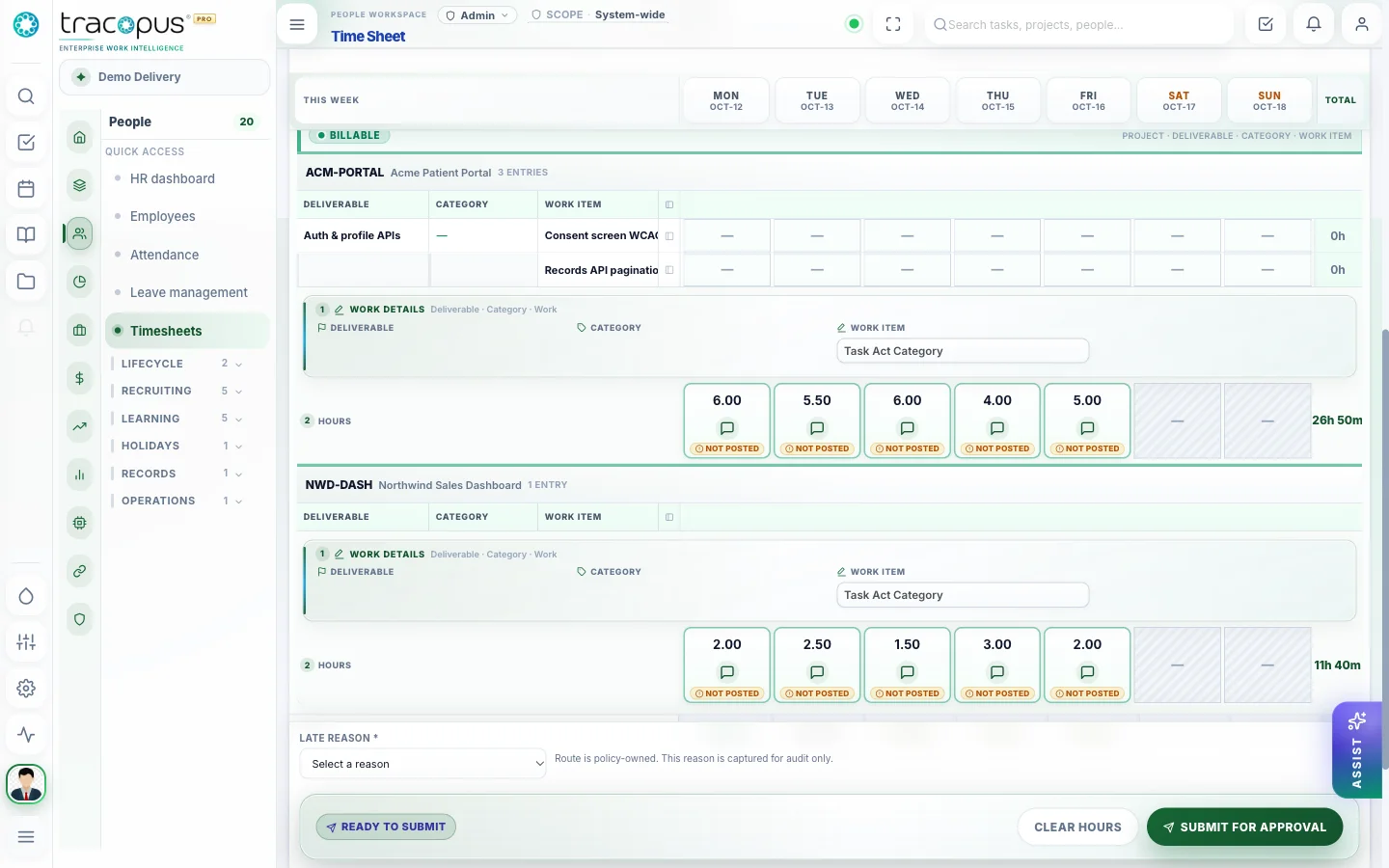
Project/task rows, billable rules, leave overlay, weekly submit, manager approval, and AI anomaly hints.
LMS & compliance
Courses, modules, assignments by role/team, progress, assessments, certificates, and due reminders.
Benefits & deductions
Plan setup, eligibility, enrollment, dependents, payroll deduction mapping, and carrier file exchange.
Documents & policies
Secure vault, verification, authorized downloads, policy publish, and employee acknowledgment.
Assets & access requests
Asset assign/ack/return plus IT access requests that close into offboarding clearance.
Payroll & expenses
Salary structures, runs, locks, paychecks, receipt-backed expenses, and reimbursements into employee finance.
How work moves through Tracopus
Weekly timesheet cycle
Documented rhythm from individual contributor to finance.
- 1Contributor logs daily or before lock — billable rows require project/deliverable
- 2Manager reviews Team dashboard with org scope set
- 3Finance opens Invoices when timesheet period is approved
New hire onboarding
HR provisions access before first login.
- 1CREATE employee via wizard — Profile through Skills
- 2Complete Access and Sign-in steps for SSO
- 3Employee sets MFA and notifications on Profile
Screens from the live workspace
Real captures from the Tracopus demo workspace — every screen a connected workflow.
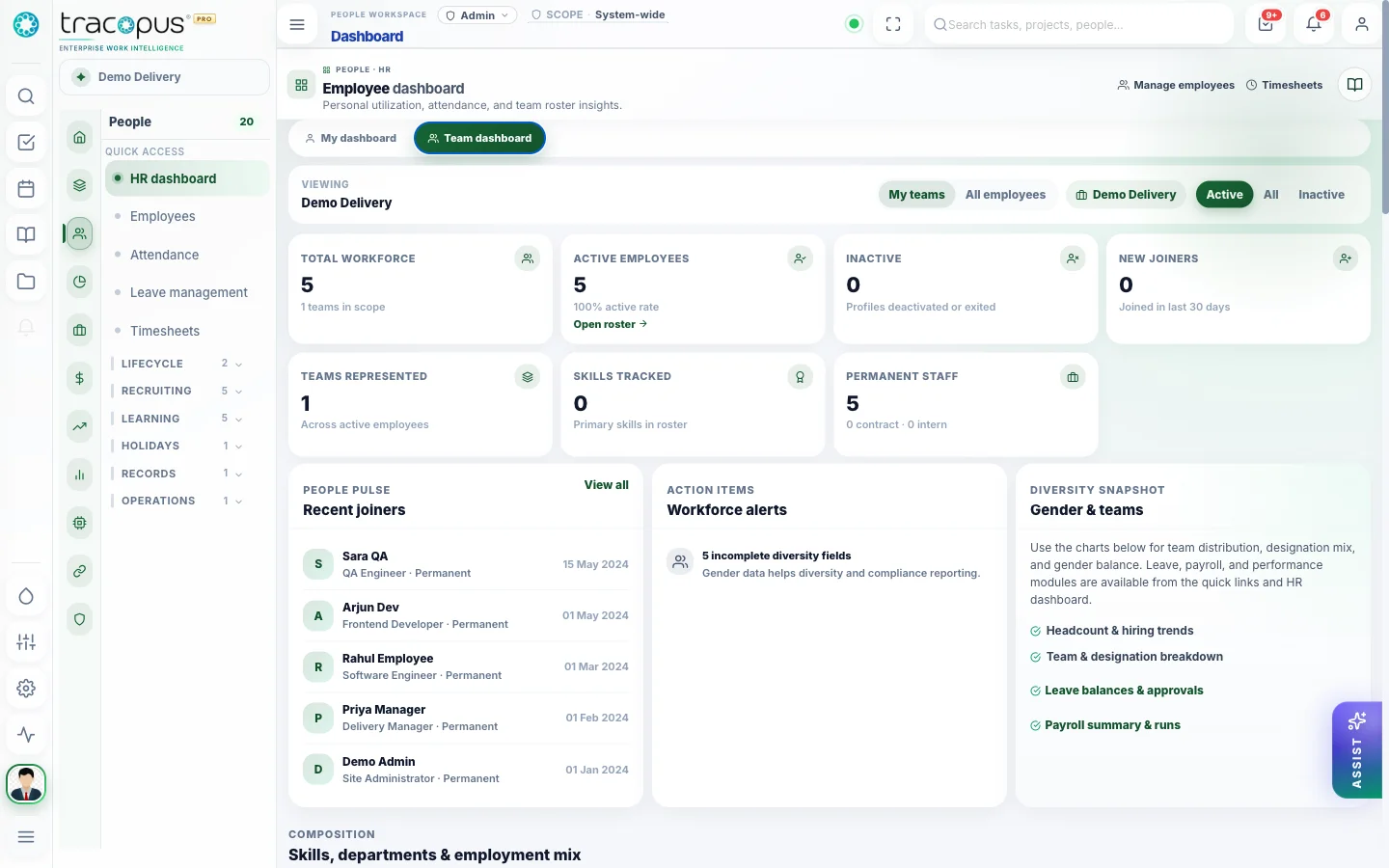
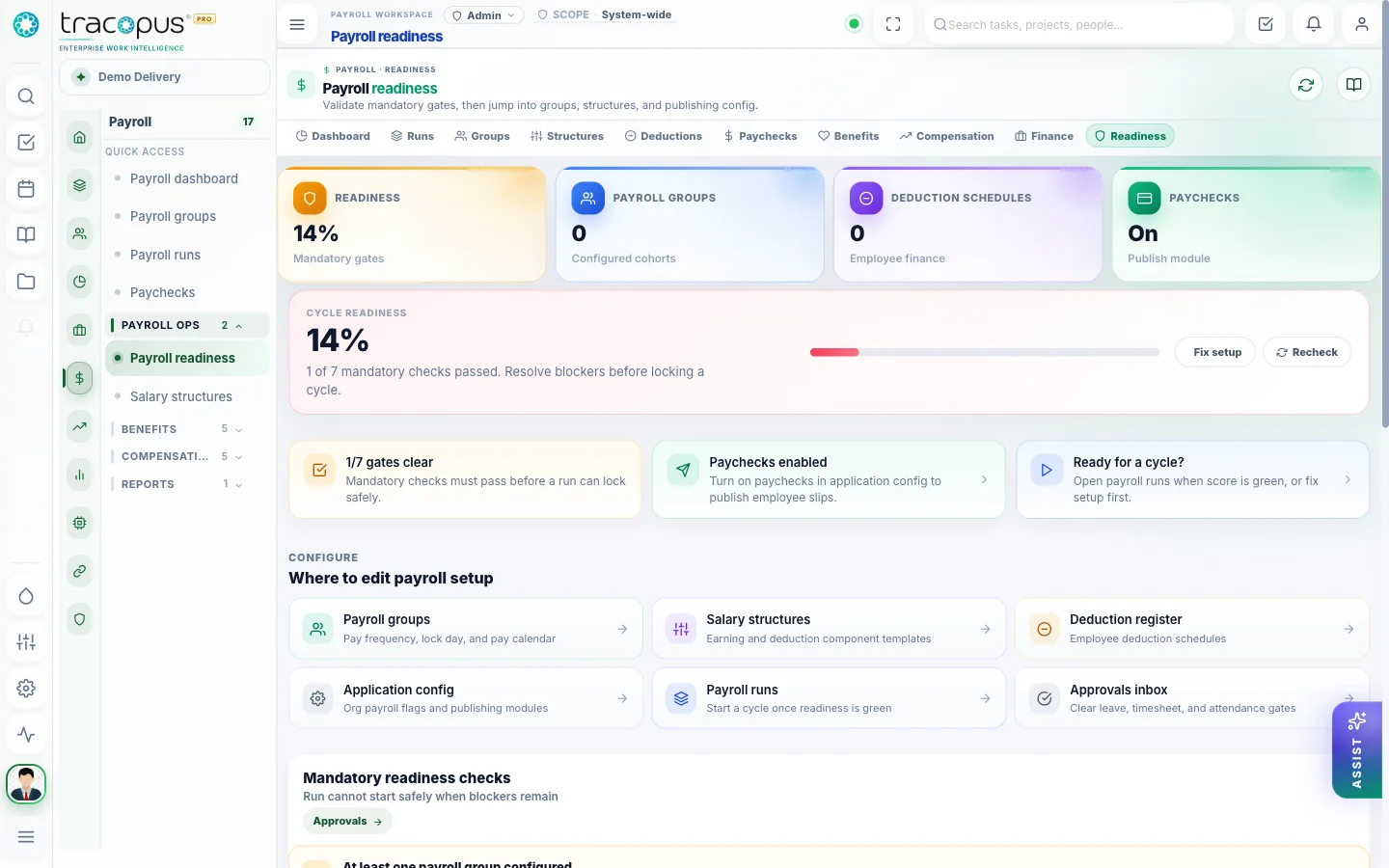
Managers review team health before the weekly 1:1.
Questions for this module
What teams usually ask before rolling this area out.
How does Employee 360 work?
Employee 360 combines profile, employment, attendance, leave, timesheets, payroll preview, projects, documents, assets, approvals, and activity in one operational view.
Does Tracopus process payroll?
Yes — salary structures, payroll runs, exceptions, paychecks, expenses, reimbursements, and benefits are built into the People and Payroll modules with readiness agents and universal approvals.
Can managers edit locked timesheet weeks?
Only when role grants allow — past-week locks and edit windows are set in Application Configuration.
One Operating Layer. Every Enterprise Workflow.
Bring workspace, people, projects, resources, finance, payroll, performance, analytics, AI agents, integrations, and admin governance into one persona-aware luxury platform.